Pay in installments of $5.92 with
 ,
,
 and
and

Shipping Estimate
USA
- USA
- CAN
- USA
- CAN
Ships within 48 hours · Estimated delivery Jul 16 - Jul 21
 Promo Codes Available:
For Your Every Summer RSVP, with Code: SUMMER15
Description
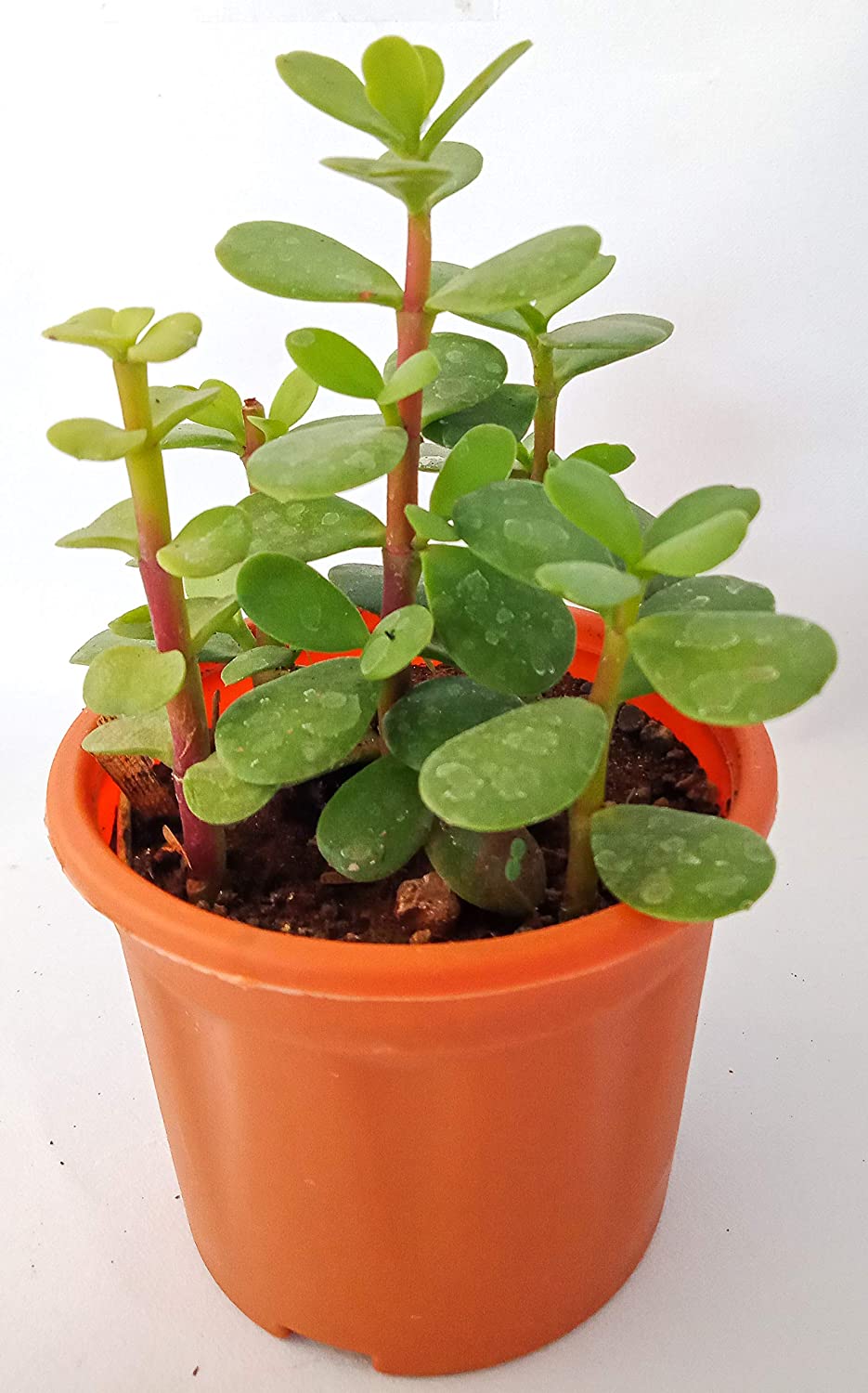
money plant jade Crassula ovata Jade Plant Money Plant Live And Healthy Plant For Indoo – GreenParadiseLiveGreen Paradise Crassula Ovata Jade Plant: Unveiling the Charms of the Money Tree Succulent About Crassula Ovata Jade Plant In the realm of indoor plants, where beauty meets prosperity, the Crassula Ovata Jade Plant, commonly known as the Money Plant or Money Tree, stands out as a symbol of both natural elegance and potential fortune. Its distinct appearance, low maintenance requirements, and intriguing folklore have combined to make it a beloved
Green Paradise Crassula Ovata Jade
Plant: Unveiling the Charms of the
Money Tree Succulent
About Crassula Ovata Jade Plant
In the realm of indoor plants, where beauty meets prosperity, the Crassula Ovata Jade Plant, commonly known as the Money Plant or Money Tree, stands out as a symbol of both natural elegance and potential fortune. Its distinct appearance, low maintenance requirements, and intriguing folklore have combined to make it a beloved choice for plant enthusiasts and beginners alike. Join us as we delve into the captivating world of Crassula Ovata and explore the reasons behind its enduring popularity.
Origins and Appearance
- Native to South Africa, Crassula Ovata belongs to the Crassulaceae family, which houses an array of succulent plants known for their water-storing capabilities.
- The Jade Plant's characteristic thick, fleshy leaves store water, allowing it to thrive in arid conditions.
- The leaves, resembling the shape of jade gemstones, are a vibrant green hue, sometimes edged with red or brown.
- As the plant ages, its trunk gains a woody texture, adding to its charm.
A Symbol of Prosperity
- The Money Plant's association with prosperity isn't a mere coincidence.
- Many cultures consider it a symbol of wealth and good fortune.
- In Feng Shui, an ancient Chinese practice of harmonizing individuals with their environment, the Crassula Ovata is believed to attract wealth and positive energy when placed in the wealth corner of a home or office.
- Its five-lobed leaves are thought to represent the five elements of Feng Shui – water, earth, wood, fire, and metal – believed to bring balance and abundance.
Easy Care and Maintenance
One of the most appealing aspects of the Crassula Ovata is its ease of care, making it an ideal choice for both experienced gardeners and beginners. Here are some tips for nurturing a healthy Money Plant:
Sunlight:
Jade plants thrive in bright, indirect sunlight. While they can tolerate some direct sunlight, too much can lead to sunburn.
Watering:
These succulents prefer to dry out between waterings. Water thoroughly when the top inch of soil is dry, but be cautious not to overwater, as this can lead to root rot.
Soil:
Use a well-draining succulent mix. You can also add beach or perlite to ameliorate drainage.
Container:
Choose a pot with drainage holes to prevent water from accumulating at the roots.
Temperature:
Jade plants enjoy average room temperatures, but they can tolerate slightly cooler conditions during their dormant period in winter.
Pruning:
Regular pruning helps maintain the factory's shape and encourages new growth.
Propagation:
Jade shops can be fluently propagated from stem or splint slices. Simply let the cuttings dry for a day or two before planting them in soil.
Aesthetic Value and Adaptability
- Beyond its symbolism and easy care, the Crassula Ovata has a unique aesthetic that complements various interior styles.
- Whether your space leans towards modern minimalism, bohemian charm, or classic elegance, the Jade Plant's versatile appeal enhances the visual appeal of any room.
Mastering the Art of Cultivating Crassula Ovata: Your Guide to Thriving Jade Money Plants
Crassula ovata, commonly known as the Jade Money Plant or Jade Plant, is a remarkable succulent renowned for its captivating appearance and symbolic value. Its thick, lustrous leaves and easy-care nature make it a favorite among both novice and experienced gardeners. If you're seeking to embark on the journey of cultivating this symbol of prosperity, this comprehensive guide will equip you with the knowledge to grow and nurture a thriving Crassula ovata.
Choosing the Right Environment
- Before delving into the specifics of care, it's essential to create the right environment for your Jade Money Plant to flourish.
- These succulents thrive in well-lit conditions, making them ideal for indoor spaces that receive bright, indirect sunlight.
- Placing them near windows with filtered light or on a well-lit shelf is a great choice.
- If you're growing them outdoors, make sure they're sheltered from harsh sunlight and extreme weather conditions.
Selecting the Perfect Pot and Soil
- The choice of pot and soil plays a pivotal part in the healthy growth of your Jade Money Plant.
- Opt for a well-draining pot with a drainage hole to prevent waterlogging.
- The choice of pot and soil plays a pivotal part in the healthy growth of your Jade Money Plant.
Watering Wisely
- One of the most common miscalculations in succulent care is overwatering.
- Crassula ovata is a drought-tolerant plant, and its leaves store water.
- Allow the top inch of soil to dry out fully before soddening.
- During the growing season (spring and summer), water sparingly, approximately every 2-3 weeks. Reduce the frequency in fall and winter, as the plant's growth slows down.
Temperature and Humidity
- Jade Money Plants prefer moderate temperatures.
- They thrive in the temperature range of 65-75°F (18-24°C) during the day and can tolerate slightly cooler temperatures at night.
- These succulents are adapted to low humidity environments, making them suitable for various indoor conditions.
Pruning for Health and Shape
- Regular pruning not only helps maintain the shape and aesthetic appeal of your Crassula ovata but also contributes to its overall health.
- Remove any dead or yellowing leaves to prevent the risk of disease.
- Pruning can also encourage branching and denser growth.
Fertilizing Strategy
- During the active growing season (spring and summer), provide your Jade Money Plant with a balanced, diluted, liquid succulent fertilizer every 4-6 weeks.
- Avoid fertilizing during fall and winter when the plant is in its dormant phase.
Propagation Techniques
- The Jade Plant is relatively easy to propagate.
- You can use stem cuttings or even individual leaves to propagate new plants.
- Allow the cuttings or leaves to callus for a day or two before placing them in a well-draining soil mix.
- Keep the soil smoothly wettish until new growth appears.
Conclusion
Cultivating a Crassula ovata Jade Money Plant is not only a journey of horticulture but also a symbolic connection to prosperity and good fortune. By providing the right care, attention, and environment, you can ensure that your Jade Plant thrives and becomes a testament to your gardening prowess. Remember, while this guide provides a solid foundation, each plant has its unique quirks, so observing and adapting to your plant's individual needs is key to achieving gardening success.
Shipping Notes
- Free Standard Shipping on $100+ Orders to the USA.
- Except Preorder products are shipped in 48 hours.
- Delivery to the USA:
- Standard Shipping : 3-10 business days
- If time is of the essence, please consider selecting expedited delivery for faster service.
Exchange/Return Notes
- We offer a 30-day return/exchange service after receiving.
- Final sale items are not eligible for returns or exchanges.
- To process your return/exchange, please contact us at [email protected]
- Please click here for more details>>> Return & Exchange Policy