Pay in installments of $5.62 with
 ,
,
 and
and

Shipping Estimate
USA
- USA
- CAN
- USA
- CAN
Ships within 48 hours · Estimated delivery Aug 9 - Aug 14
 Promo Codes Available:
For Your Every Summer RSVP, with Code: SUMMER15
Description
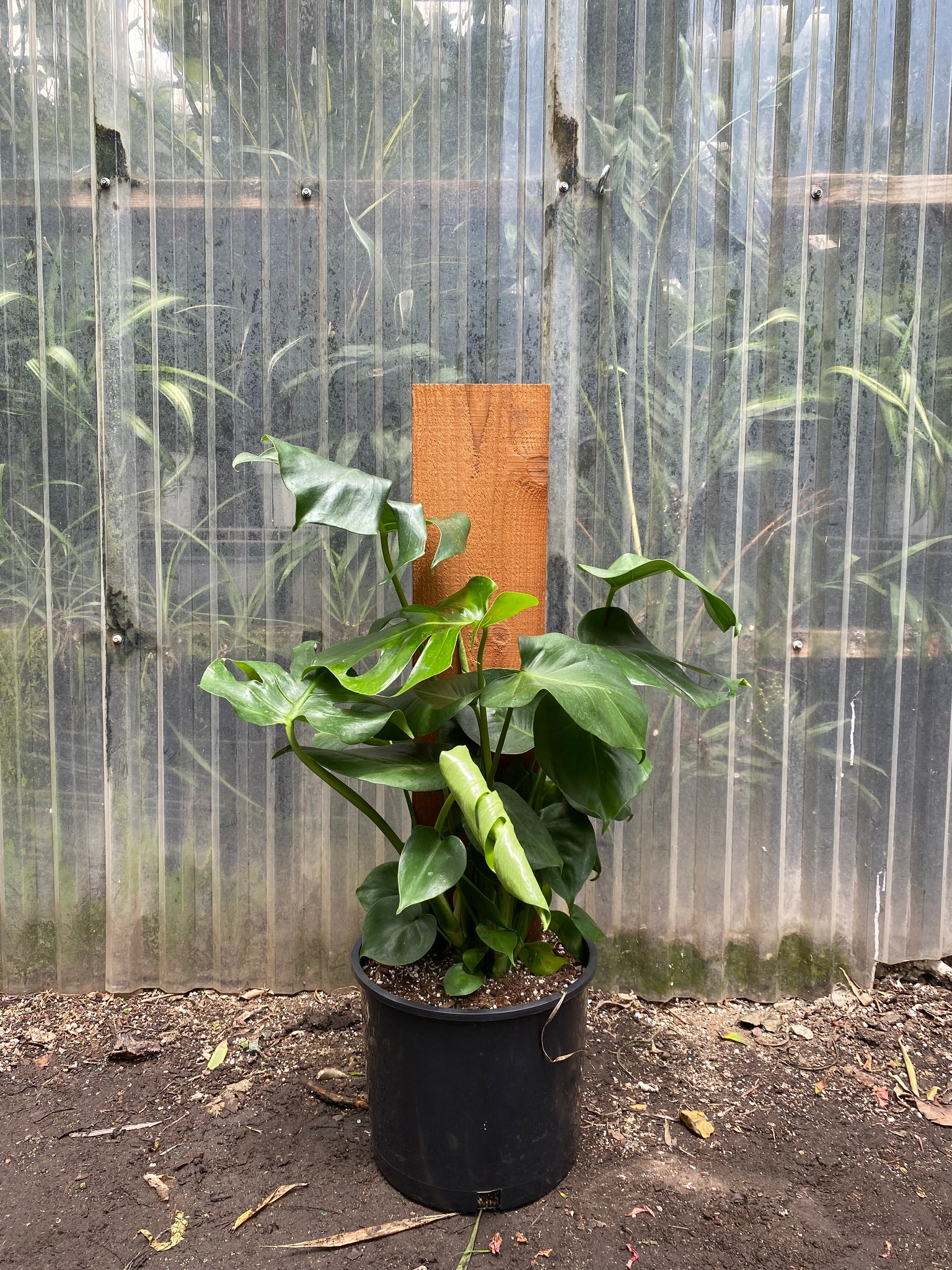
pictures of a monstera plant Monstera DeliciosaMonstera Deliciosa Split Leaf Philodendron NOTE: We do not ship plants. You can only purchase for a "pick up" order. Sizes: 4" Pot at 6" Tall 6" Pot at 1+ft Tall 8" Pot at 2ft Tall 10" Pot at 2+ft Tall 14" Pot at 3ft+ Tall & Wide *measurements are approximate and are taken from the ground up (including the planter) Growing Tips to thrive and produce large leaves, Monsteras need very bright indirect light (it can handle some direct sun too but too much
Monstera Deliciosa - Split Leaf Philodendron
NOTE: We do not ship plants. You can only purchase for a "pick-up" order.
Sizes:
4" Pot at 6" Tall
6" Pot at 1+ft Tall
8" Pot at 2ft Tall
10" Pot at 2+ft Tall
14" Pot at 3ft+ Tall & Wide
*measurements are approximate and are taken from the ground up (including the planter)
Growing Tips
🌤️ to thrive and produce large leaves, Monsteras need very bright indirect light (it can handle some direct sun too but too much direct sun can create burring on the leaves), it can do ok in medium lighting but the leaves won’t grow as large and thrive (not a dark corner)
🏠 The Monstera usually does best directly in front of a window within 4 feet from a south or west facing window. Keeping it just a little further back can keep the afternoon direct sun off of the leaves. If you have a north or east window you will want to keep it close to that window and be sure to keep the curtains/blinds open.
💦 Water to evenly moisten the soil but not to leave it overly soggy. Let the top 1-2 inches of the soil dry between watering - aim for your plant to need water once per week.
TIP #1 When watering always keep in mind the season, how much light it is receiving, and temperature of your home. You will need to adjust with regards to these environmental factors.
TIP #2 Use some sort of way to measure the amount of water you are giving your plant so that you know how much to increase or decrease next time if needed.
TIP #3 Water your plants in place with a saucer under them. This allows your plant a chance to soak up the water. After a couple hours if there is still water in the saucer you can dump this out and this will also tell you how much water you can cut back next time.
TIP #4 Try to water on a weekly basis, this will help to keep you consistent and to at least check on your plants once a week.
Shipping Notes
- Free Standard Shipping on $100+ Orders to the USA.
- Except Preorder products are shipped in 48 hours.
- Delivery to the USA:
- Standard Shipping : 3-10 business days
- If time is of the essence, please consider selecting expedited delivery for faster service.
Exchange/Return Notes
- We offer a 30-day return/exchange service after receiving.
- Final sale items are not eligible for returns or exchanges.
- To process your return/exchange, please contact us at [email protected]
- Please click here for more details>>> Return & Exchange Policy